Business settings
Each business has one settings page. Open it from HQ → Settings → your business (/hq?tab=settings&business=<id>) or from Details in your business's chat. Only owners and admins can change it.
#Setup checklist
The top of the page shows what's left to do before you share your link: add your logo, write a welcome message, add support links, invite your team, set your goal, and share your link. Each item opens the right sheet and ticks itself off.
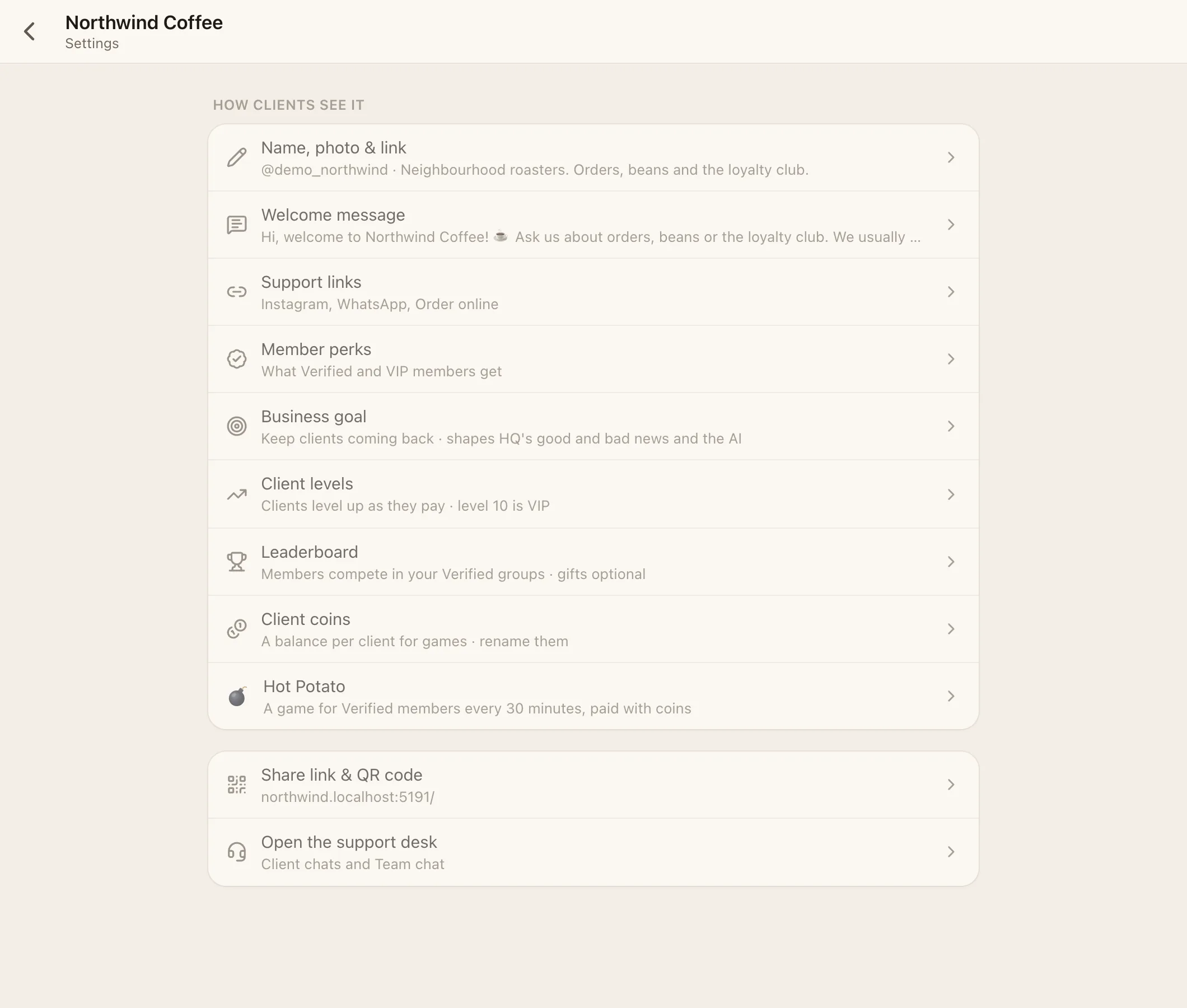
#Name, photo & link
| Field | Notes |
|---|---|
| Name | Shown to clients everywhere, including the installed app name and email sender name |
| Photo (logo) | Square, at least 512 × 512 works best. Used for the avatar, home-screen icon, notification icon, loading screen and link previews |
| @handle | 4–32 characters, starting with a letter; letters, numbers and _. Gives you facia.chat/@handle and handle.facia.chat |
| Description | One line, shown on your page and in link previews |
#Welcome message
Sent automatically the first time someone writes. Text plus up to 4 photos. Leave it empty to send nothing.
#Support links
Up to 10 links, each with a label of up to 30 characters. Kinds: WhatsApp, Telegram, Signal, Viber, Messenger, Instagram, Facebook, X, TikTok, YouTube, Discord, Snapchat, Threads, Twitch, Kick, Email, Phone, Website, or any link.
For each link, choose where it shows:
- Welcome page: the page people see before their first message.
- Chats: inside the client's support chat.
- Other sites: when you're embedded on another website.
#Member perks
What Verified and VIP members get, each with an icon. Clients see them in the Get verified sheet and in Membership. An empty VIP list hides VIP from clients. See Membership and tiers.
#Business goal
| Goal | Use it when |
|---|---|
| Help desk | You mostly answer questions. Speed and resolving matter most |
| Keep clients coming back | Returning clients and loyalty matter most |
| Just the numbers | You want HQ's numbers without judgement colours |
You can add a few words about your goal in your own language. HQ uses the goal for its green and red, and the AI uses it to judge what's going well.
#Client levels, leaderboard, coins and Hot Potato
Shortcuts to the same settings as in Features:
- Client levels: on or off, the amount for level 2 and its currency, the VIP level, how clients become VIP (reach a level, or by invitation), and level rewards. See Levels and coins.
- Leaderboard: on or off, how often it starts fresh (day, week or month), and gifts for places 1–10.
- Client coins: rename your coins and pick an emoji (default "Coins" 🪙).
- Hot Potato: run it or not. See Games.
#Other switches
- Show agent first names: clients see which agent is answering.
- Add "Support" to the app name: the installed app is called "Name Support".
- Share link & QR code: your link and a QR code to print.
- Open the support desk: jumps to your inbox.
#Workspace settings
HQ → Settings → General holds the workspace name and time zone. The time zone is used for report times, "today", leaderboard periods and analytics. Use this device's zone sets it in one tap.