The support inbox
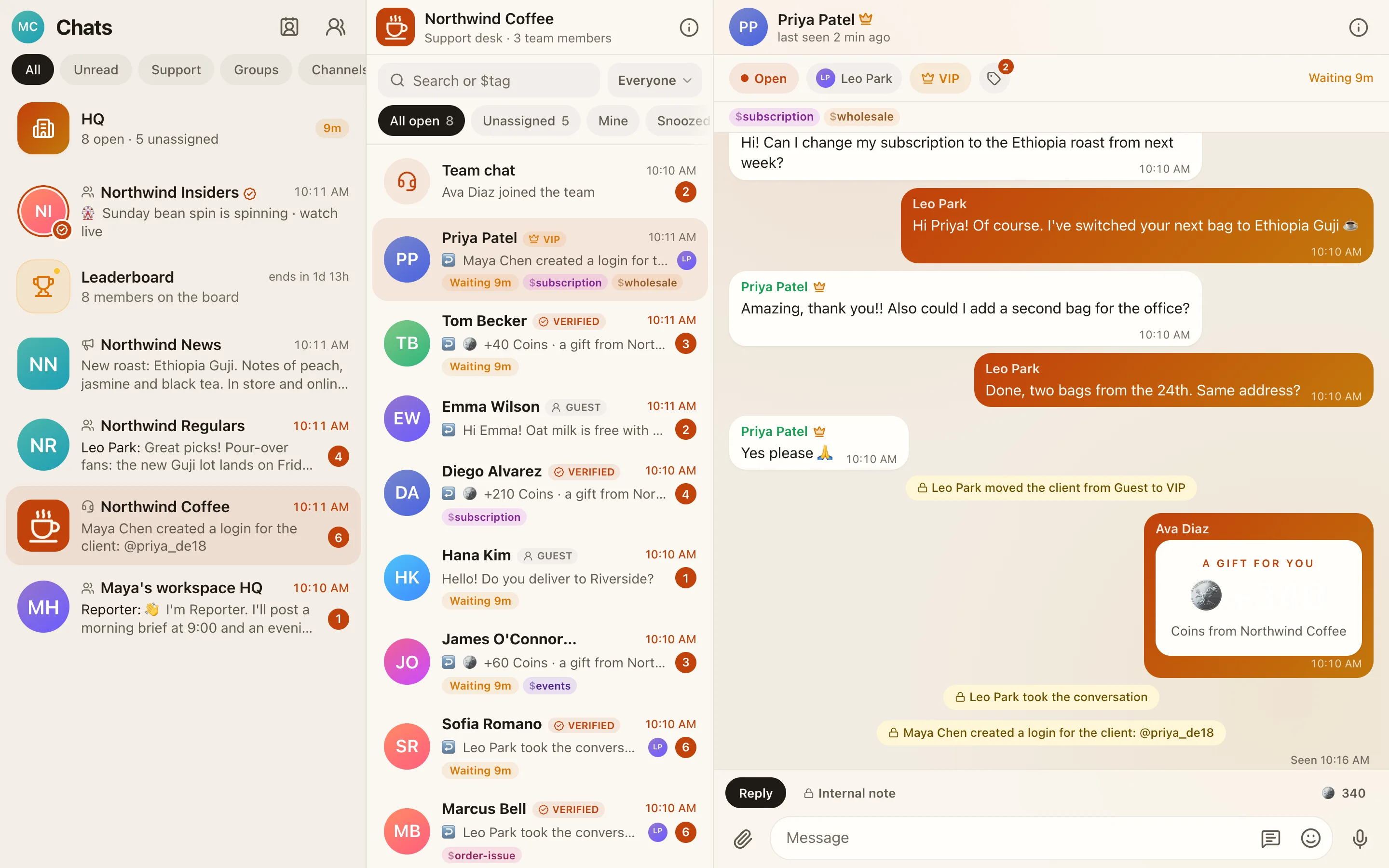
Your business's chat (/c/<business>) is the support desk. Every client has one private chat with your team, and the list shows who's waiting.
#Tabs and filters
| Tab | Shows |
|---|---|
| All open | Every open conversation (just All when resolving is off) |
| Unassigned | Open and nobody's on it |
| Mine | Assigned to you |
| Snoozed | Hidden until a time you picked |
| Resolved | Finished conversations (only while Resolve conversations is on) |
The tier chips filter by Guest, Verified, VIP or Spam. Search finds names, @usernames and $tags.
#Working a conversation
- Assign to me, assign to a teammate, or Unassign.
- Snooze for 1 hour or until tomorrow. Wake up now brings it back early. A client writing again also wakes it.
- Resolve when it's done. The client writing again reopens it.
- New conversation starts a fresh one in the same chat.
Admins can turn on Close silent chats (in HQ → Clients → How clients are counted) to resolve conversations that have gone quiet for a number of days.
#The composer
- Internal note: only your team sees it. Use it for hand-offs and context.
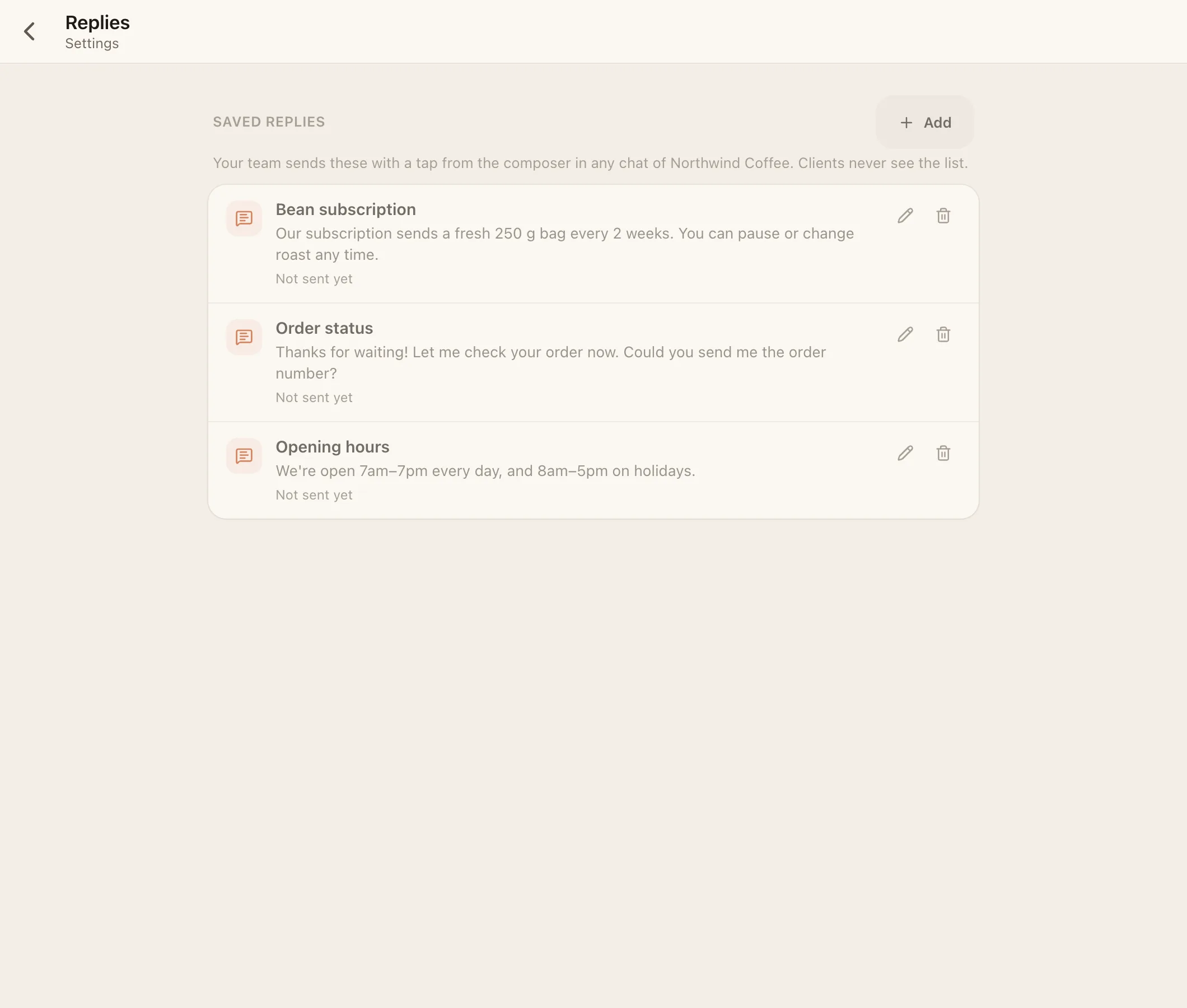
- Saved replies: tap to send an answer you wrote earlier. Owners and admins manage them in HQ → Settings → Replies, and the AI may suggest new ones.
- Photos and videos, the camera, files, voice messages, and a photo editor (draw, pixelate to hide details, add text, crop, rotate).
- @tags for teammates, inside internal notes.
- Coins tray: +5, +20 or +100 coins, sent with your message (needs the coins permission).
#Client details
Tap the client's name to open Details. What you can do depends on your permissions:
- rename the client or change their
@username, - Tier: Guest, Verified, VIP or Spam,
- Tags, Client coins, Client insights, and first contact and first response times,
- Create a login for a guest, or Reset password,
- Block or Unblock (logged as an internal note),
- Remove client & delete chat.
#Tags
Write $ and a word to tag a client, like $wholesale or $late-payer. Tags are free-form, up to 20 per client and 24 characters each, and only your team sees them. Search $tag in the inbox to find everyone with it. If the AI is on, it adds a tag when a theme comes up on two or more days. If you remove one, it never adds it back.
#Returning clients and merges
Facia notices when a new chat is probably someone you already know. It uses signals from the device, never anything the client typed, and keeps them for 90 days.
- Same device, guest without a password: their old chat simply continues.
- Probably the same person: a banner in the chat with Same person (merge the chats) or Not the same.
- Same network: a heads-up in HQ.
Every flag is also posted in the Team chat. You need the See flags permission. When you merge, the chat whose client has a password is kept (or the older one, if neither has). Messages, tags, receipts, invited friends and coins move over, and old links to the merged chat lead to the kept one. Two clients who both have passwords can't be merged.
#Message actions
Long-press or right-click a message to Reply, Copy, Save, Pin (up to 100 per chat), see Info (who read it and when), Edit your own (within 48 hours), see the edit history, React or Delete.
#Deleting, and who still sees it
A deletion is final for everyone below the person who deleted it, and kept for 30 days for the ranks above:
| Deleted by | Still visible to |
|---|---|
| Agent | Managers, admins, owner |
| Manager | Admins, owner |
| Admin | Owner |
| Owner or client | Nobody in the business |
Ranks above see "Deleted by …". In HQ, owners and admins can type @deletedmsg to list recent deletions. The owner can also clear the Team chat's history.
#The Reporter
A built-in bot (no AI) posts yesterday's report and today so far at times you choose, and alerts the Team chat when a client has waited longer than your Alert after minutes. Set it up in HQ → Bots → Reporter. In HQ, ask it @Reporter status, @Reporter waiting, @Reporter team or @Reporter week.