Features
HQ → Settings → Features (/hq?tab=settings&page=features). Owners and admins.
Every optional part of Facia is a switch on this page. Each one says what it does, what clients will see if you turn it on, and what it needs.
#Bundles
Three quick picks at the top switch the matching features in one go:
| Bundle | Turns on |
|---|---|
| Support | Just the chat. No client-facing extras |
| Community | Verified clients, groups, channels, levels |
| Club | Community, plus coins, leaderboard, Hot Potato and High Card |
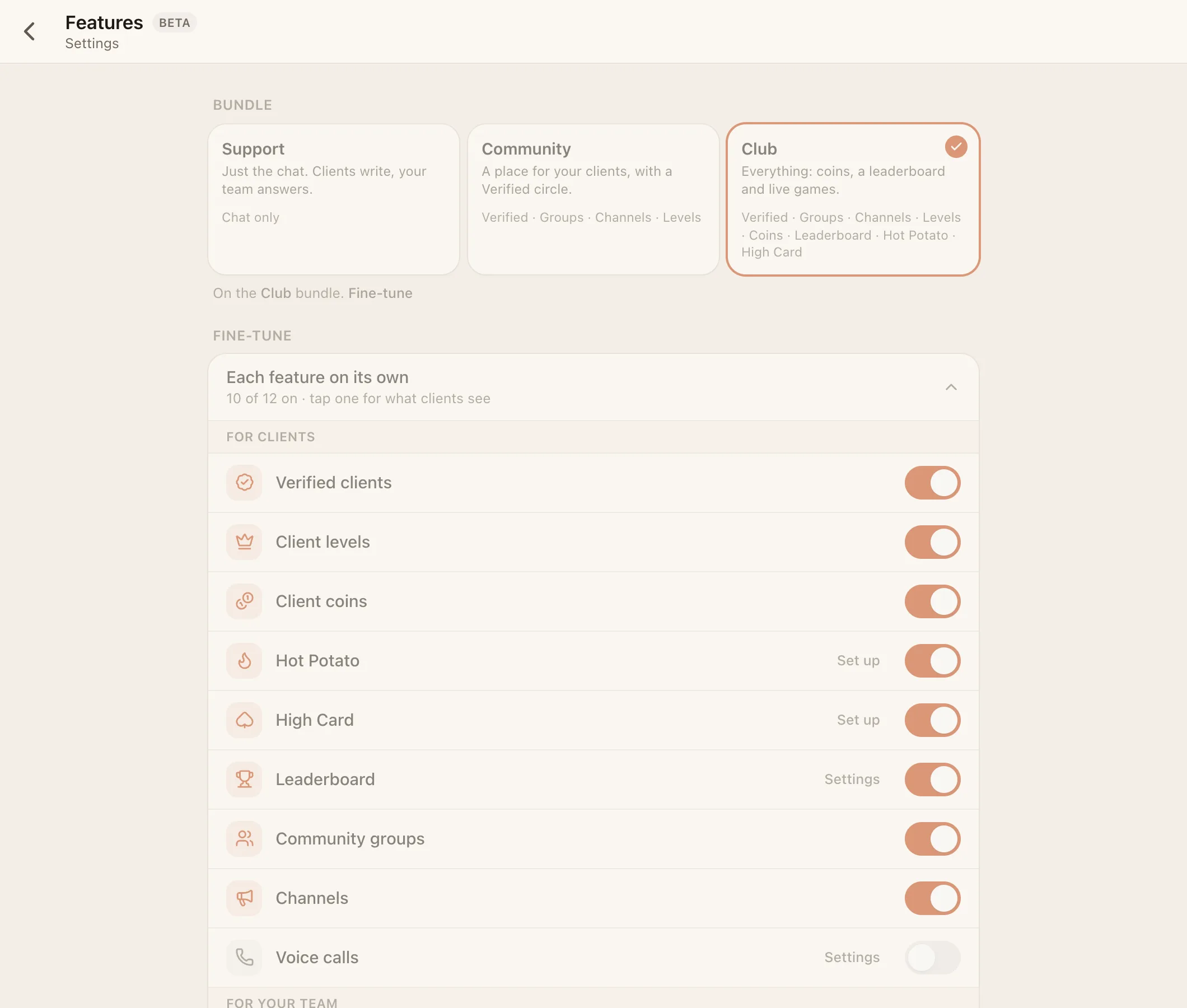
The bundle shows as Custom once your switches match none of them. Bundles never change voice calls, the AI, payments, apps or resolving. Those are always set by hand.
#Every feature
| Feature | Default | Needs | Settings |
|---|---|---|---|
| Resolve conversations | On | – | – (off removes Resolved and the status buttons) |
| Verified clients | On | – | – |
| Client levels | Off | Verified | VIP at level 2–100 (default 10) |
| Client coins | On | Verified | – |
| Hot Potato | Off | Coins | Tables (free, 5, 20, 100) and house cut 0–25% (default 5%) |
| High Card Beta | Off | Verified | House cut 0–25% (default 5%) |
| Leaderboard | Off | Verified | Period: day, week or month (default week) |
| Community groups | On | – | – |
| Channels | On | – | – |
| Voice calls Beta | Off | – | Who can call whom, and voice rooms. See Voice calls |
| Apps Beta | On | – | See Build on Facia |
| AI assistant | Off | – | Workspace-wide. See The AI bot |
| Payments | Off | AI | Workspace-wide. Adds HQ → Payments |
A feature only works when its switch is on, everything it needs is on, and it's available for your business. If one of those fails, the page says Needs … or Not available for your business. Some features can be made unavailable by the Facia team, for example while a plan doesn't include them.
#Private business
Under Visibility, Private business makes your business members-only. It's left off the Facia front page and directory, it can only be reached on your own address or by invite link, and new clients join only through a member's invite link.
#What turning a feature off does
Turning a feature off hides it. Nothing is deleted. Coins balances, levels and leaderboard history come back when you switch it on again.
See the full feature reference for where each feature shows up.