Your first app
We'll build Daily Bonus: a tab where a Verified member presses a button once a day and gets 10 coins. It uses everything an app needs: the token, the theme, and one partner call.
You need Node 20+ and a business where you're an owner or admin, with Apps and Client coins on in Features.
#1. The server
mkdir daily-bonus && cd daily-bonus
npm init -y
npm install express jsonwebtoken dotenvserver.js:
import "dotenv/config";
import express from "express";
import jwt from "jsonwebtoken";

const { FACIA_APP_ID, FACIA_APP_SECRET, FACIA_API, PORT = 3000 } = process.env;
const app = express();
app.use(express.json());
app.use(express.static("public"));

// Verify the token Facia gave the page. Never trust it without this.
function client(req) {
  return jwt.verify(req.body.token, FACIA_APP_SECRET, {
    algorithms: ["HS256"],
    issuer: "facia",
    audience: FACIA_APP_ID,
  });
}

// Call Facia's partner API from the server, with the secret.
async function facia(call, body) {
  const res = await fetch(`${FACIA_API}/${call}`, {
    method: "POST",
    headers: { Authorization: `Bearer ${FACIA_APP_SECRET}`, "Content-Type": "application/json" },
    body: JSON.stringify(body),
  });
  return res.json();
}

app.post("/api/me", (req, res) => {
  try {
    const c = client(req);
    res.json({ alias: c.alias, tier: c.tier, coins: c.coins });
  } catch {
    res.status(401).json({ error: "bad_token" });
  }
});

app.post("/api/claim", async (req, res) => {
  let c;
  try { c = client(req); } catch { return res.status(401).json({ error: "bad_token" }); }
  if (c.tier !== "verified" && c.tier !== "vip") return res.json({ ok: false, error: "verified_only" });
  const day = new Date().toISOString().slice(0, 10);
  // The ref makes it once per client per day: a second claim gets the first answer back.
  const out = await facia("coins.pay", { sub: c.sub, amount: 10, reason: "Daily bonus", ref: `bonus:${c.biz}:${c.sub}:${day}` });
  res.json(out);
});

app.listen(PORT, () => console.log(`Daily Bonus on http://localhost:${PORT}`));
Add "type": "module" to package.json so the import lines work.
#2. The page
public/index.html:
<!doctype html>
<html>
<head>
<meta charset="utf-8">
<meta name="viewport" content="width=device-width, initial-scale=1">
<title>Daily Bonus</title>
<style>
  html, body { margin: 0; background: var(--bg, #fff); color: var(--text, #111); font-family: system-ui, sans-serif; }
  main { padding: 32px 20px; text-align: center; }
  button { font: inherit; font-weight: 600; padding: 14px 28px; border: 0; border-radius: 14px;
           background: var(--accent, #3d6bff); color: var(--accent-fg, #fff); }
  [data-facia-radius="sharp"] button { border-radius: 4px; }
  p { color: var(--text-2, #555); }
</style>
</head>
<body>
<main>
  <h1 id="hi">Daily Bonus</h1>
  <p id="msg">Loading…</p>
  <button id="claim" hidden>Claim 10 coins</button>
</main>
<script src="https://facia.chat/app/facia-app.js"></script>
<script>
  Facia.onTheme((t) => Facia.applyTheme(t));
  const post = (url) => fetch(url, { method: "POST", headers: { "Content-Type": "application/json" },
                                     body: JSON.stringify({ token: Facia.token() }) }).then((r) => r.json());

  post("/api/me").then((me) => {
    document.getElementById("hi").textContent = `Hi ${me.alias}`;
    document.getElementById("msg").textContent = `You have ${me.coins} coins.`;
    document.getElementById("claim").hidden = false;
    Facia.ready(); // drop Facia's loading skeleton once something is drawn
  });

  document.getElementById("claim").onclick = async () => {
    const r = await post("/api/claim");
    document.getElementById("msg").textContent =
      r.ok ? (r.repeat ? "Already claimed today. Come back tomorrow!" : `+10! You now have ${r.balance}.`)
           : r.error === "verified_only" ? "Get verified to claim daily coins." : "Something went wrong.";
  };
</script>
</body>
</html>#3. Run it where Facia can reach it
While building, Facia accepts http://localhost addresses (also 127.0.0.1 and *.localhost), so you can use your own computer when you test from the same machine:
node server.jsTo let real clients use it, deploy it anywhere with https: Render, Railway, Fly.io, Cloudflare, a VPS… Any host that runs Node works.
#4. Register it in HQ
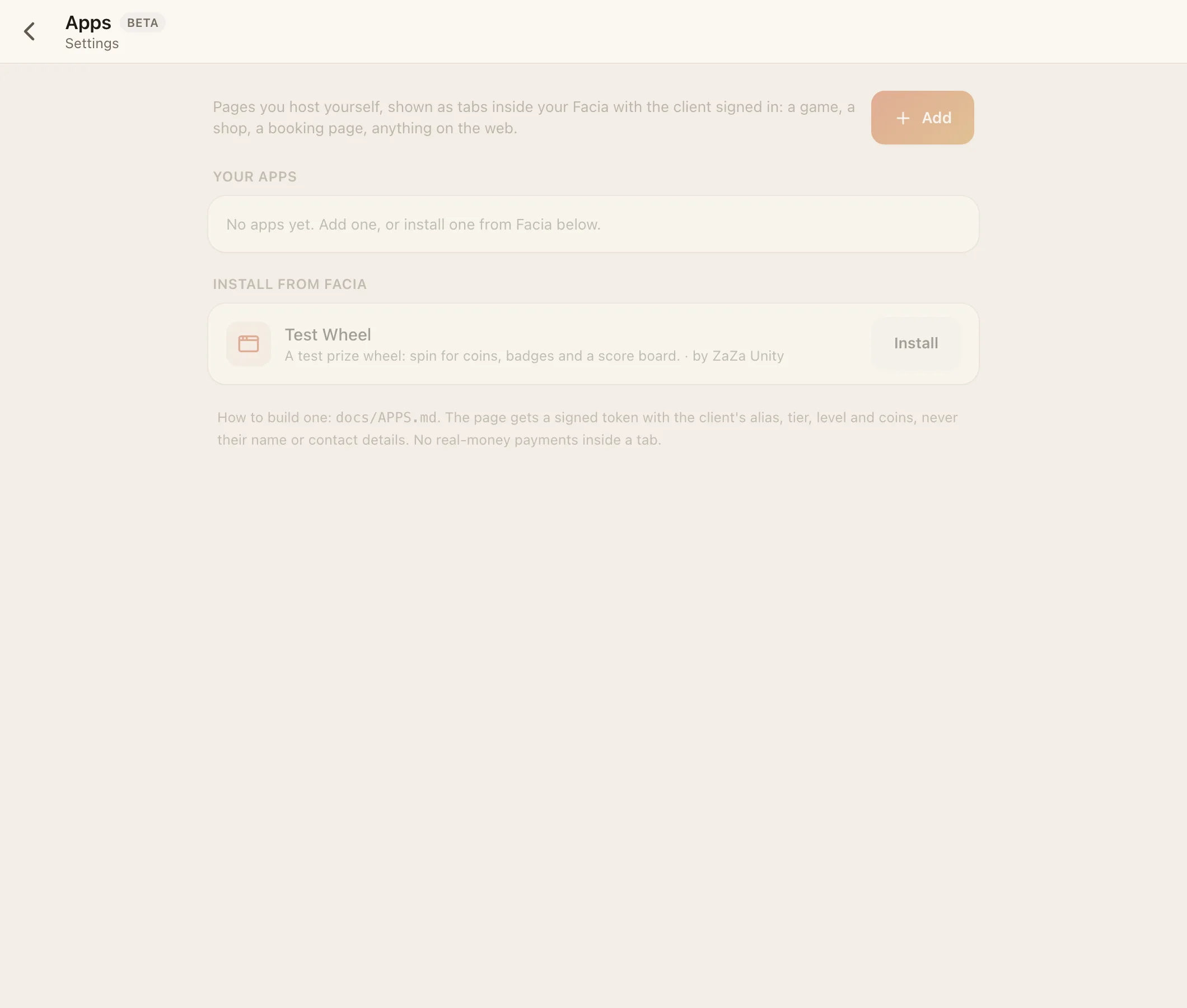
- HQ → Settings → Apps → Add (under Your apps).
- Fill in:
- Name: Daily Bonus. Icon: a square image (optional).
- Page address:
https://your-app.example.com(orhttp://localhost:3000while building). - Who sees it: Verified members.
- Where it shows: Membership card, and/or a tab in the chat header, and/or the Verified group's Apps page.
- What it may do: tick Give coins.
- Press Add app. Facia shows the app secret once. Press Copy as .env and paste it into a
.envfile next toserver.js:
FACIA_APP_ID=…
FACIA_APP_SECRET=fas_…
FACIA_API=https://site.facia.chat/partner/v1
Use the exact values HQ gives you. Restart the server.
#5. Try it
Open your business as a Verified client (or as staff: the team reads as verified), go where you placed it, and press the button. Check HQ → Activity: you'll see "app.pay" with the app's name, the amount and the ref.
#What you can switch in HQ later
Each app's row in HQ shows the secret's last 4 characters and how many times it was opened this week. It also has:
- a kill switch (off = the tab disappears and every call is refused at once),
- New secret (the old one stops working at once),
- Edit (address, audience, places, permissions, groups),
- Delete.
#Next
- Every claim in the token: The token
- Theme, insets and messages: The frame bridge
- All the calls: Partner API
- More examples: Recipes