# Features
> Turn built-in parts of Facia on and off per business, with bundles, dependencies and per-feature settings.
# Features
**HQ → Settings → Features** (`/hq?tab=settings&page=features`). Owners and admins.
Every optional part of Facia is a switch on this page. Each one says what it does, **what clients will see** if you turn it on, and what it needs.
## Bundles
Three quick picks at the top switch the matching features in one go:
| Bundle | Turns on |
| --- | --- |
| **Support** | Just the chat. No client-facing extras |
| **Community** | Verified clients, groups, channels, levels |
| **Club** | Community, plus coins, leaderboard, Hot Potato and High Card |
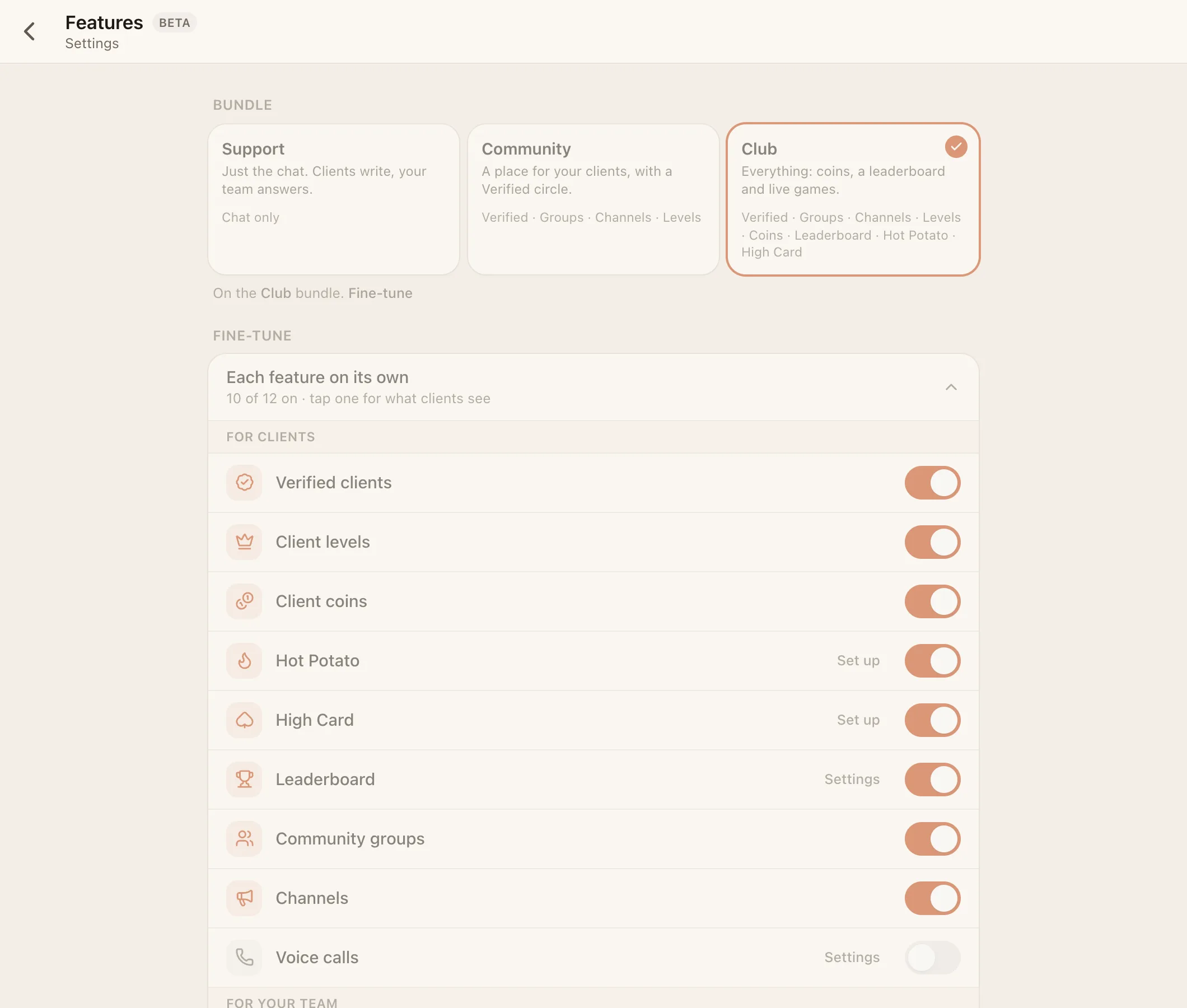
The bundle shows as **Custom** once your switches match none of them. Bundles never change voice calls, the AI, payments, apps or resolving. Those are always set by hand.
## Every feature
| Feature | Default | Needs | Settings |
| --- | --- | --- | --- |
| **Resolve conversations** | On | – | – (off removes Resolved and the status buttons) |
| **Verified clients** | On | – | – |
| **Client levels** | Off | Verified | VIP at level 2–100 (default 10) |
| **Client coins** | On | Verified | – |
| **Hot Potato** | Off | Coins | Tables (free, 5, 20, 100) and house cut 0–25% (default 5%) |
| **High Card** Beta | Off | Verified | House cut 0–25% (default 5%) |
| **Leaderboard** | Off | Verified | Period: day, week or month (default week) |
| **Community groups** | On | – | – |
| **Channels** | On | – | – |
| **Voice calls** Beta | Off | – | Who can call whom, and voice rooms. See [Voice calls](https://docs.facia.chat/business/calls) |
| **Apps** Beta | On | – | See [Build on Facia](https://docs.facia.chat/build/overview) |
| **AI assistant** | Off | – | Workspace-wide. See [The AI bot](https://docs.facia.chat/business/ai) |
| **Payments** | Off | AI | Workspace-wide. Adds HQ → Payments |
A feature only works when its switch is on, everything it needs is on, and it's available for your business. If one of those fails, the page says **Needs …** or **Not available for your business**. Some features can be made unavailable by the Facia team, for example while a plan doesn't include them.
## Private business
Under **Visibility**, **Private business** makes your business members-only. It's left off the Facia front page and directory, it can only be reached on your own address or by invite link, and new clients join only through a member's invite link.
## What turning a feature off does
Turning a feature off hides it. Nothing is deleted. Coins balances, levels and leaderboard history come back when you switch it on again.
See the full [feature reference](https://docs.facia.chat/reference/features) for where each feature shows up.