# Facia Docs
> Everything you can do on Facia, and how to do it. For business owners, teams, builders and developers.
# Facia Docs
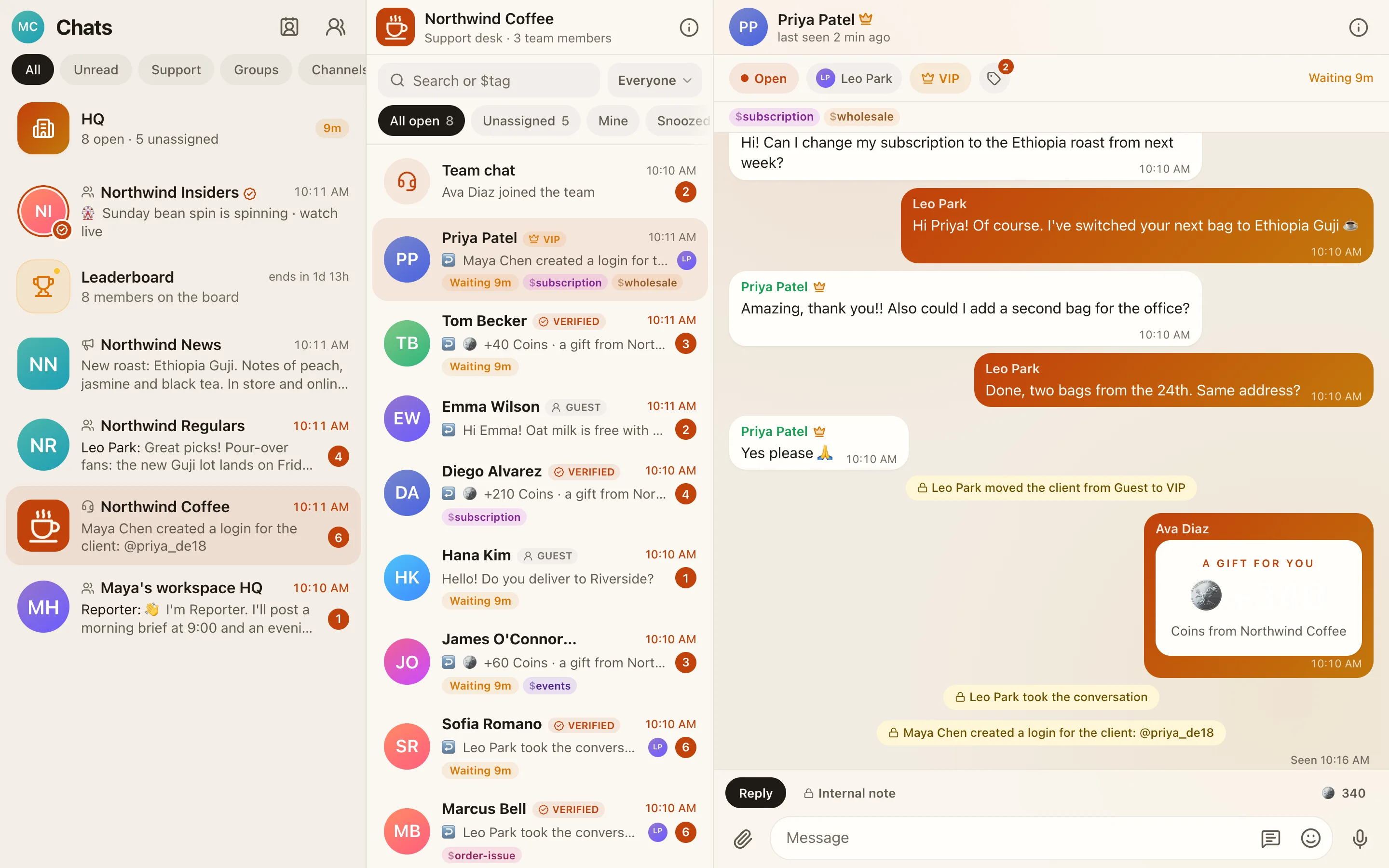
Facia is a support chat and community app that runs under your business's own name. These docs cover all of it: setting up your server, running your support desk and community, connecting your domain, email and AI, and building your own blocks and apps on top.
## Who these docs are for
| You are… | Start here |
| --- | --- |
| **A business owner** setting up support or a community | [What is Facia](https://docs.facia.chat/start/what-is-facia), then [Your first hour](https://docs.facia.chat/start/first-hour) |
| **An admin, manager or agent** on a team | [Roles and permissions](https://docs.facia.chat/reference/roles-permissions), then [The support inbox](https://docs.facia.chat/business/inbox) |
| **A builder** who wants games, pages and announcements without code | [Blocks](https://docs.facia.chat/business/blocks) and [Games](https://docs.facia.chat/business/games) |
| **A developer** making an app that runs inside Facia | [Build on Facia](https://docs.facia.chat/build/overview), then [Your first app](https://docs.facia.chat/build/first-app) |
| **Putting Facia inside your own website or app** | [Embed Facia](https://docs.facia.chat/setup/embed) |
| **An AI assistant** helping someone with Facia | [Docs for AI assistants](https://docs.facia.chat/reference/llms) and [llms-full.txt](https://docs.facia.chat/llms-full.txt) |
## What you can do
- **Support chat.** Each client gets a private chat with your team. There's an inbox with assigning, snoozing, internal notes, saved replies, tags and client history. See [The support inbox](https://docs.facia.chat/business/inbox).
- **Community.** Groups where clients talk under random names, channels where only your team posts, and voice rooms. See [Groups and channels](https://docs.facia.chat/business/community).
- **Membership.** Guest, Verified and VIP clients, levels, perks, coins and a leaderboard. See [Membership and tiers](https://docs.facia.chat/business/membership).
- **Games and activities.** Hot Potato, High Card, raffle spins, polls and missions. See [Games](https://docs.facia.chat/business/games) and [Blocks](https://docs.facia.chat/business/blocks).
- **Numbers.** HQ shows how fast you answer, who is coming back, where clients come from and what money came in. See [HQ](https://docs.facia.chat/business/hq).
- **AI.** A business bot that reads your chats, answers your questions about the business, reads receipts and suggests improvements for you to approve. See [The AI bot](https://docs.facia.chat/business/ai).
- **Your brand everywhere.** Your name, logo, colours, domain and email address. See [Look and style](https://docs.facia.chat/business/look), [Domains](https://docs.facia.chat/setup/domains) and [Email](https://docs.facia.chat/setup/email).
- **Your own code.** Apps you host appear as tabs inside Facia and can use coins, scores, badges, posts and notifications. See [Apps](https://docs.facia.chat/build/overview).
> [!TIP]
> Every page can be copied as Markdown with **Copy page for AI** at the bottom. Paste it into Claude or ChatGPT and ask it to walk you through the setup.
## How the docs are organised
- **Get started** covers what Facia is, how to create a server, the first-hour checklist, the key ideas, and doing the setup with AI.
- **Run your business** goes through every screen an owner, admin or agent uses, one topic per page.
- **Connect your stuff** is step-by-step setup for domains, email (Resend), AI provider keys, embedding and connecting websites.
- **Build on Facia** is the developer guide for apps: the token, the frame bridge, the partner API, listing and recipes.
- **Reference** has the lookup tables: roles and permissions, features, limits, addresses, a glossary, and what's in beta.
Pages marked Beta are built and working but may still change.